

Coding with ChatGPT 3.5 vs. 4.0
The differences between ChatGPT 3.5 and 4.0 are very interesting. Check out how the same prompt yielded very different results.
Update: This post describes a June 2023 experiment with GPT-3.5 and GPT-4, when I was copying short PHP scripts from ChatGPT and testing them by hand. The models and tools have changed considerably since then, so treat this as a record of that experience rather than current guidance on AI coding or Mailchimp’s API.
GPT-3.5 vs. GPT-4 — same prompt, very different results.
ChatGPT is very often very wrong. I learned this the hard way.
However, in my experience, it is getting better. The goal was to have ChatGPT write a PHP script for a little project.
The script in question was supposed to trigger an email campaign in Mailchimp every morning at the same time. At the time, I’d confirmed multiple times that Mailchimp couldn’t do what I needed out of the box.
Seems like a straightforward script. Here’s my first prompt:
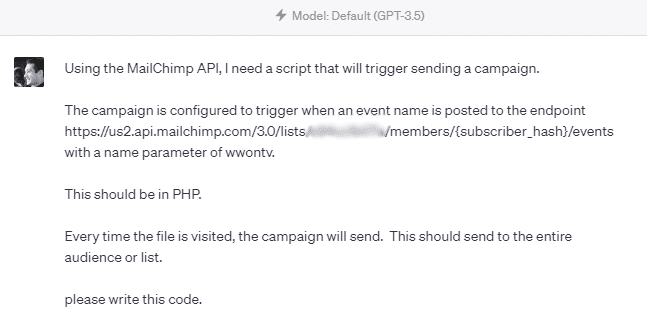
…and here’s ChatGPT’s response.
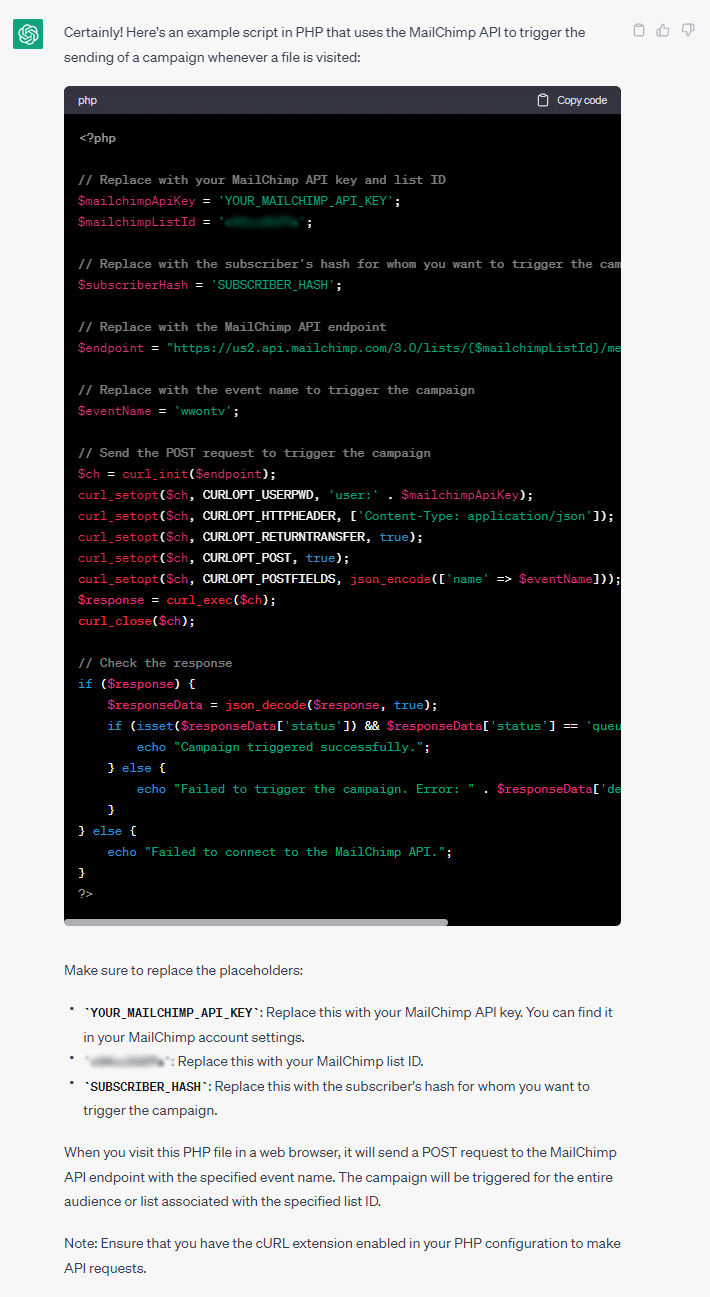
Okay, at first glance, this looks legit. I like how the reply gives some extra information, like making sure cURL is enabled.
However, there are some issues.
Issue #1: This is technically impossible. You can ONLY trigger a campaign if its status is “Draft”.
Issue #2: Once it is triggered, it cannot be triggered again.
Issue #3: This will only send to one subscriber at a time, as noted by the inclusion of the subscriber hash.
In other words, this could work for a draft campaign if the goal is to trigger the send one time.
It would also work if you were programmatically creating a campaign and then using this script to trigger the send — so the code isn’t actually bad per se; it’s just not exactly applicable to a daily newsletter for the entire audience.
I wasted a good bit of time digging into this since ChatGPT was so confidently incorrect and leading me to believe it would work.
Here’s what’s interesting about this outcome: scroll back up to the original prompt. The header says “Model: Default (GPT-3.5).” Let’s see how GPT-4 will do with the same prompt.
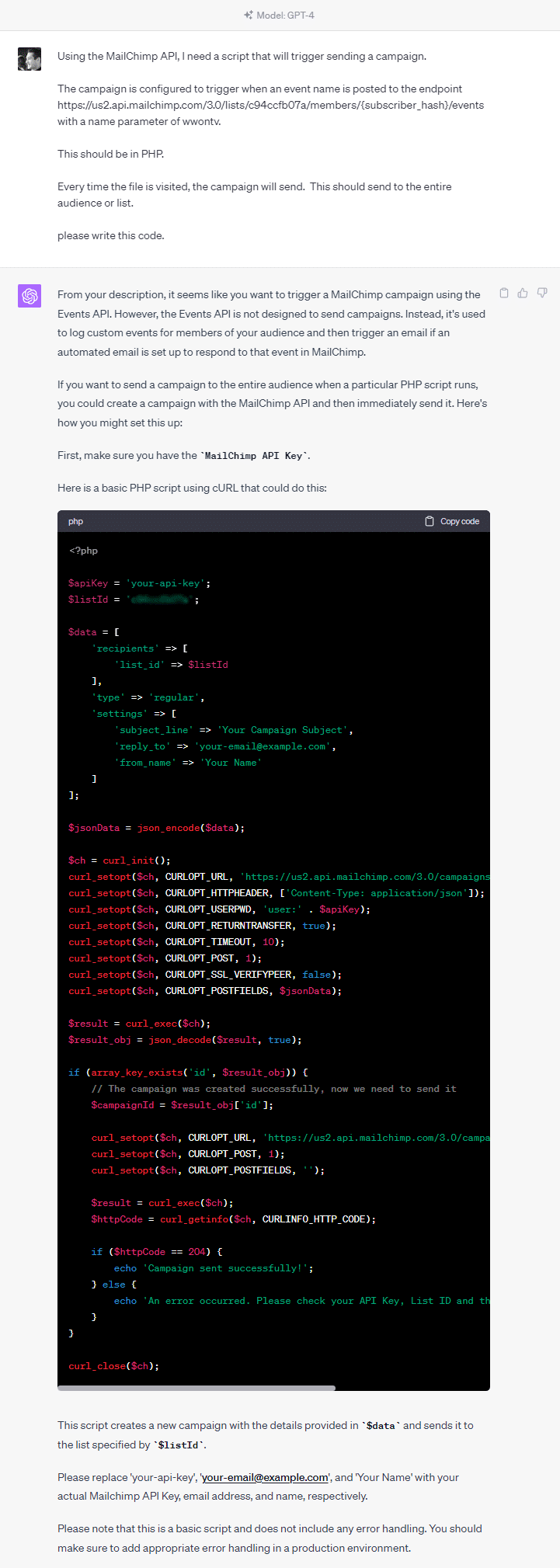
Eureka! GPT-4 instantly pointed me in a different direction, explaining that the API wasn’t intended for what I was trying to do and suggesting a different approach.
Now, this wouldn’t work for my exact purpose since I’m using the Mailchimp feature “Import HTML from URL,” which is only available inside a campaign and not in canned templates (for some reason). This was confirmed with Mailchimp support too.
Back to the drawing board to get this automation set up properly.
Biggest lesson so far: be skeptical of AI output. It may seem accurate but might be outdated or misrepresent what its generated code actually does.
Also, instead of banging on a stubborn platform, try finding an alternative. Sometimes it makes sense to hack whatever you have, but recognize when to try a different tactic altogether.
Read the next part: Hacking Mailchimp to send a daily email newsletter.