

Hacking Mailchimp to send a daily email newsletter
How I used a WordPress RSS feed to trigger a daily Mailchimp newsletter in 2023.
Update: This describes how What Was on TV Last Night worked in 2023. The workaround ran for a while, but I’ve since rebuilt the site, and it no longer uses this setup. The WordPress site and daily RSS feed mentioned below have been retired. This is a record of the original solution, not a current setup guide.
I couldn’t find a way to have Mailchimp send the daily email I wanted.
At the time, I could schedule a separate campaign for each day, but that was limited to 100 emails for an audience, and creating 100 campaigns would have been tedious.
I spoke with multiple support reps at Mailchimp, and they each confirmed that the functionality I wanted couldn’t be achieved out of the box.
In the previous post, Coding with ChatGPT 3.5 vs. 4.0, I covered the API problems I ran into while trying to send a daily email to the whole audience.
But for some reason, I persisted. After a significant brainstorm and some documentation reading, I found an automation called “blog updates” in Mailchimp.
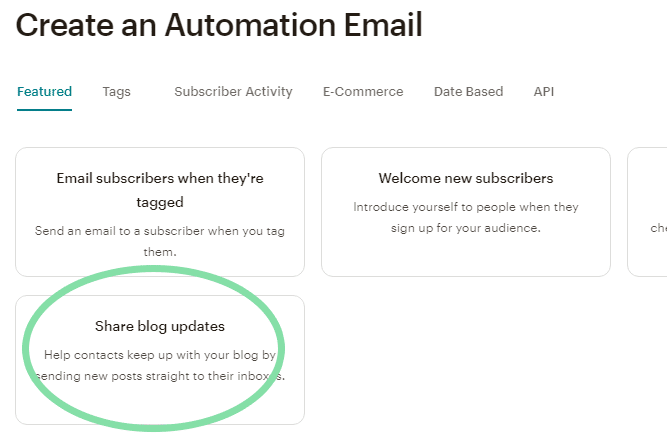
Its actual functionality wasn’t quite what I expected.
The “blog updates” automation would send a campaign when an RSS feed was updated, and I could set a schedule for how frequently it checked the feed for changes.
What made this useful was that the campaign could send anything; its content didn’t have to come from the blog feed.
How the workaround worked
The site I built, What Was on TV Last Night, didn’t have an RSS feed. There were plenty of ways to add one, but I turned to WordPress since it was what I knew best.

I quickly spun up a blank WordPress site.
Next, I used Pabbly, an automation tool similar to Zapier, to create one new post per day. It didn’t need real content, just a placeholder to update the RSS feed.
The feed was publicly available at whatwasontvlastnight.com/wp/feed and updated once a day with a new post. That feed is now retired and is no longer available to use.
Back in Mailchimp, the updated RSS feed triggered the campaign. Mailchimp then grabbed the newsletter content from the web and sent it automatically around 6 a.m. Eastern time.
No 100-day limitation, no API issues, no manually creating or sending a separate campaign every day.
…and that’s how What Was on TV Last Night was born.

A little project simply to get the previous night’s TV listings as an email in the morning, so I wouldn’t miss any new episodes.
It wasn’t the most direct solution, but it worked. That was the fun part: finding a way to connect the pieces I already had.
What happened next
I later moved the newsletter to Sendy. I wrote about that in Sending a daily email? Use Sendy..